
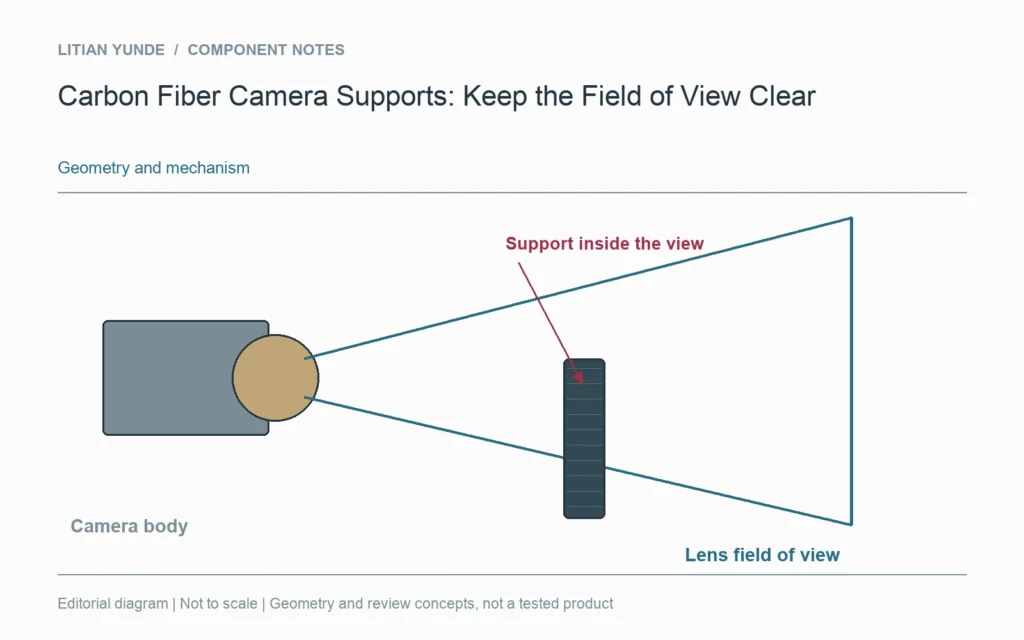
A camera support can hold the camera in the right place and still appear in the image. Before refining a carbon fiber bracket or support arm, check the lens field of view together with the physical space used by the camera and its attachments.
The lens view is wider than the camera body
The body envelope helps avoid a collision, but it does not show what the lens sees. Obtain the relevant lens and sensor configuration and check the view at the required operating settings. A bracket outside the body outline may still intrude into a wide view. Lens hoods, lights and neighbouring mechanisms belong in the same layout.
Allow for movement and adjustment
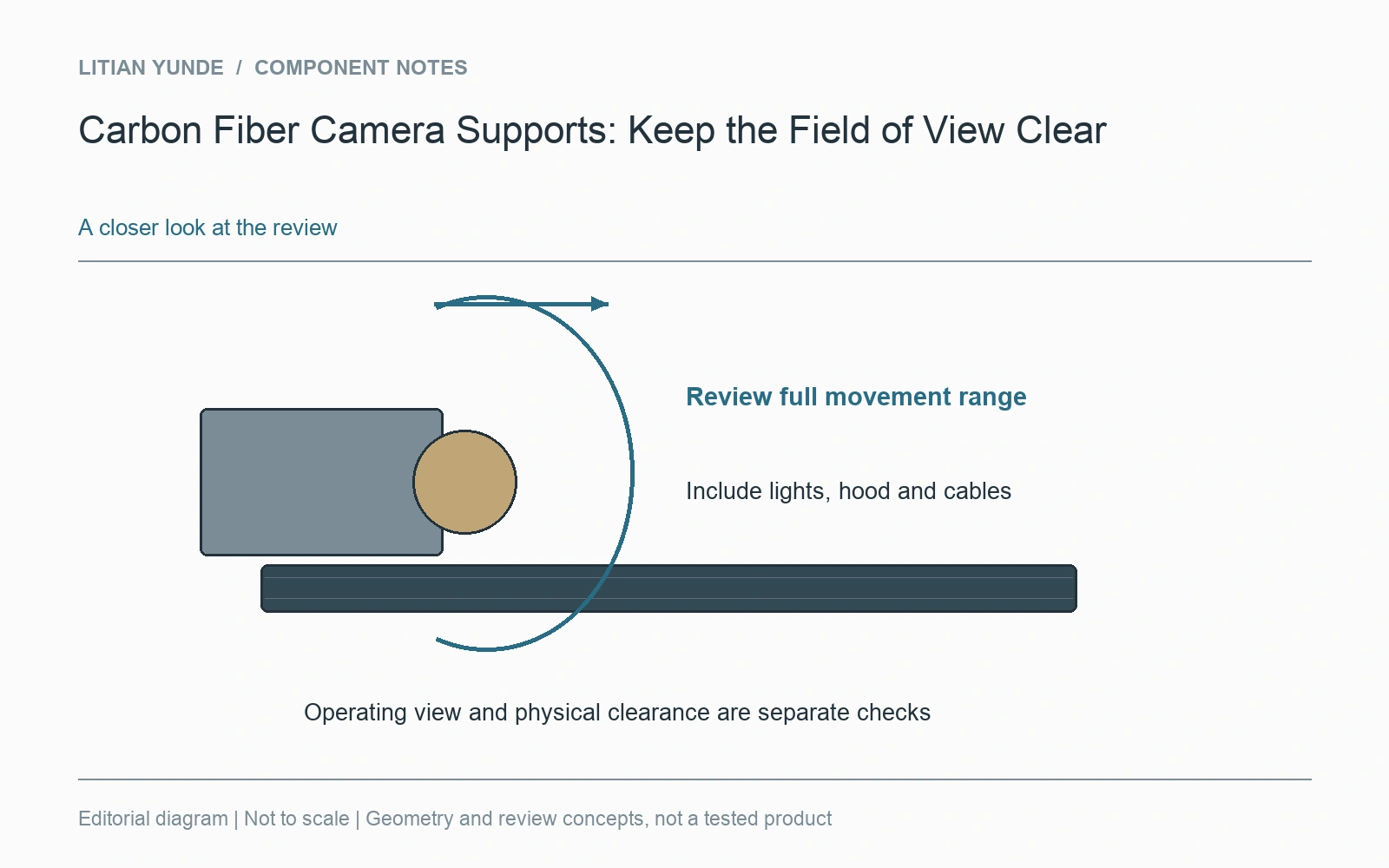
A fixed camera and an adjustable camera have different clearance needs. Review the full pan, tilt or focusing arrangement actually used, including cables where they move with the camera. Show both operating and adjustment positions. If a support is intended to remain out of view throughout that range, the range should be part of the geometry review rather than an assumption.
Alignment needs a reference that survives assembly
Choose the features that establish camera position and direction. A cosmetic outside edge may be a convenient shape but a poor alignment reference if the installed relationship is controlled elsewhere. If repeat positioning matters, agree the mounting references and the method used to compare successive installations. Include the connection to the equipment frame, not only the carbon part.
A first image is a useful fit check
Photographs from the actual camera can reveal an obstruction that an external assembly photograph misses. Retain the camera configuration and position with those images. Separately record any alignment or vibration checks required by the application. An unobstructed image establishes clearance for that configuration; it does not by itself establish dynamic stability or measurement accuracy.